The gaming & tech site for Ticino and Italian-speaking Switzerland
The gaming & tech site for Ticino and Italian-speaking Switzerland
Lenovo Yoga Pro 27UD-10

✓ What we like
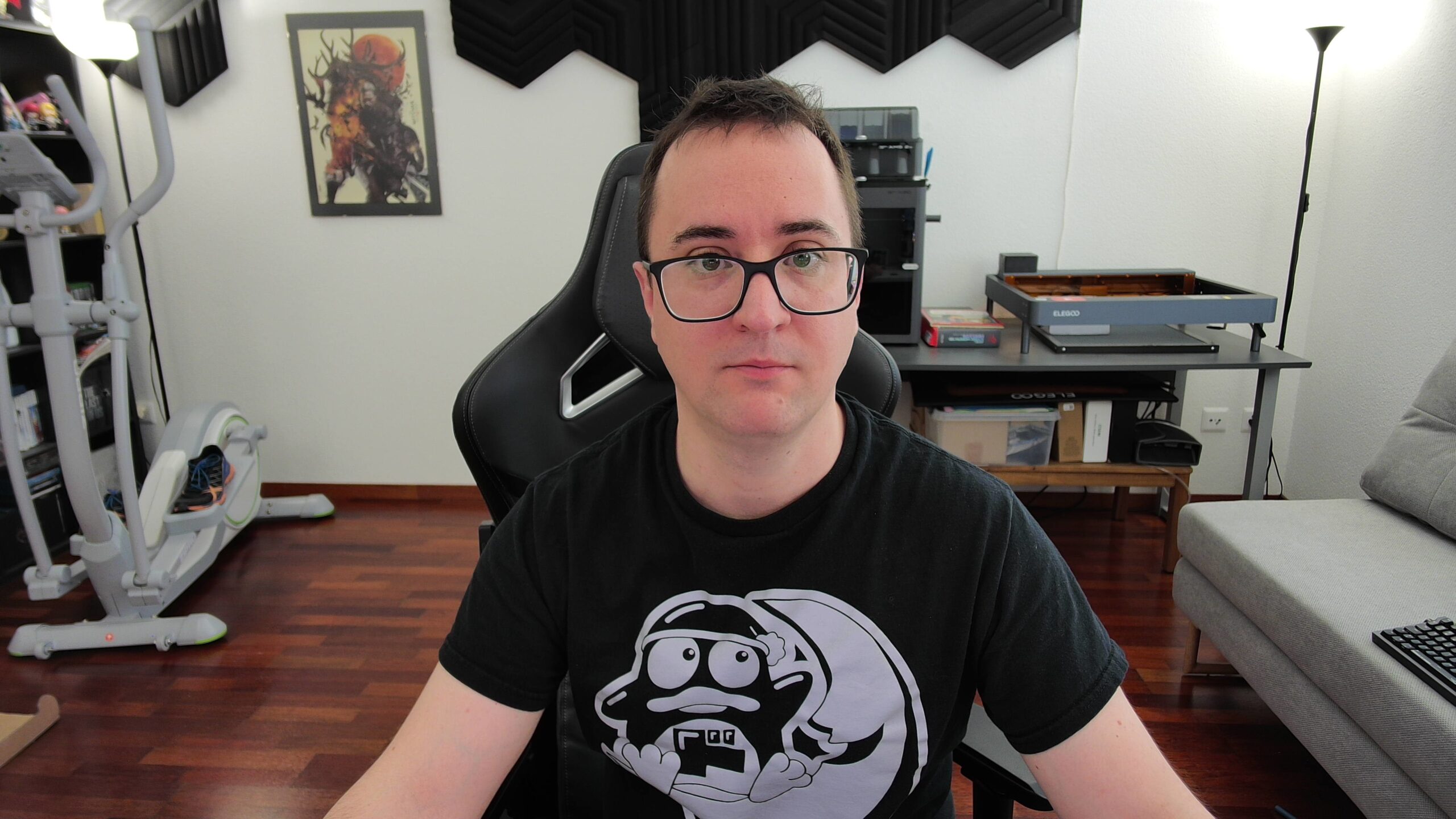
- 🟢 Fabulous built-in webcam
- 🟢 Very impressive audio
- 🟢 Perfect for creatives
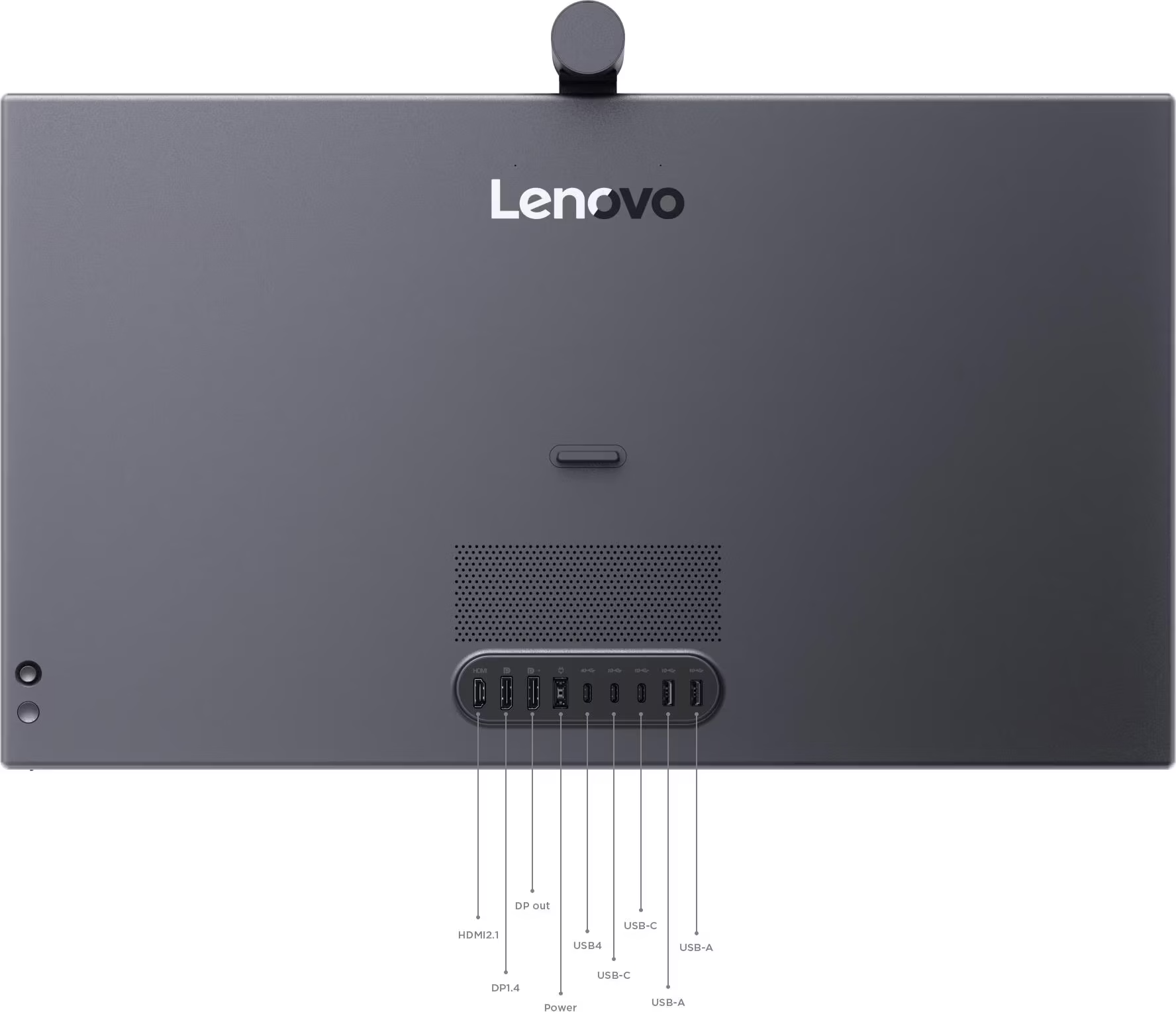
- 🟢 Extremely rich connectivity
What we don't like
- 🔴 No vertical rotation
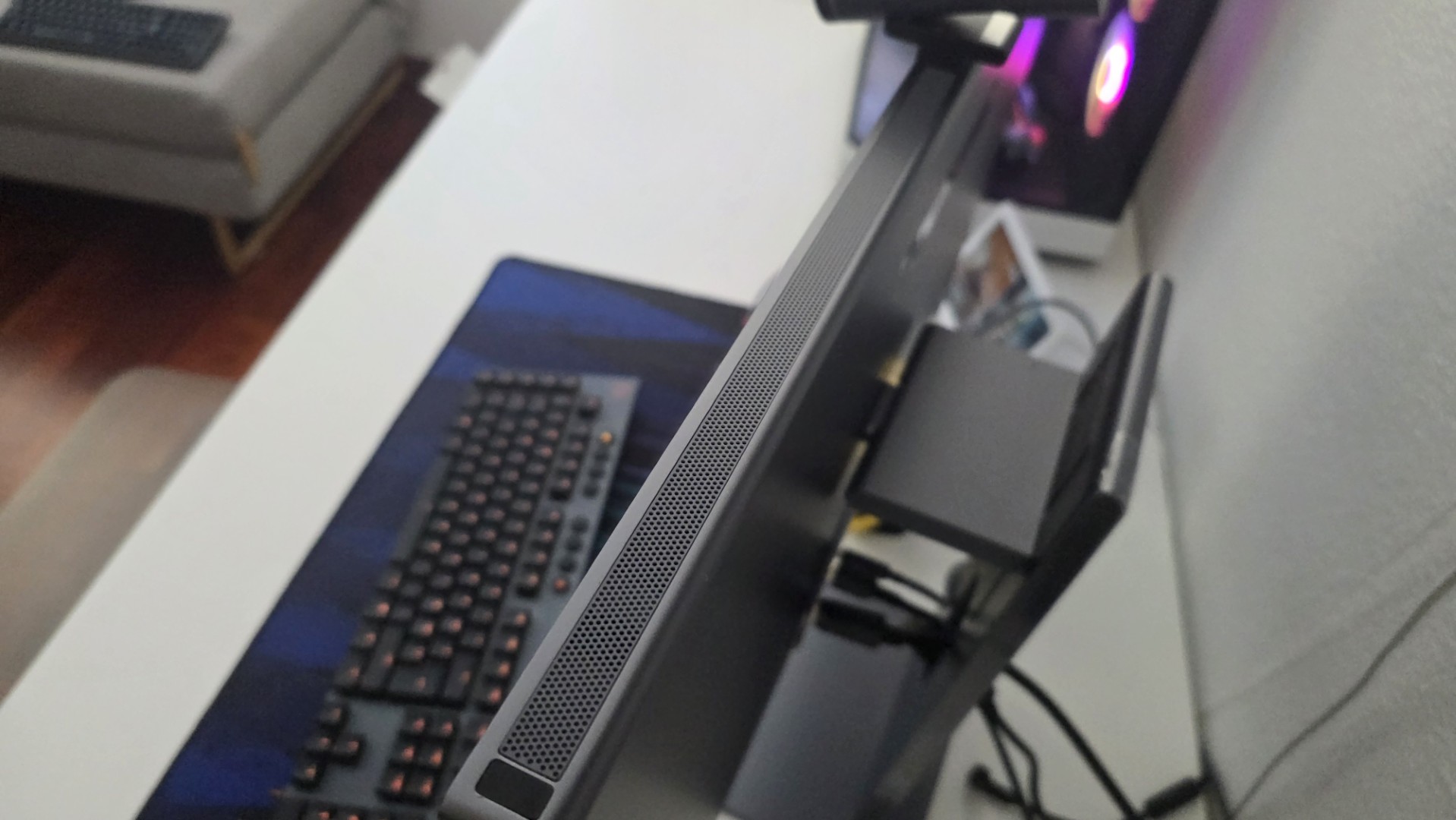
- 🔴 Uncomfortable rear doors
- 🔴 Non-ultrawide format
Being a content creator is increasingly easier, and we've reached the point where technology is also trying to satisfy our desperate need for a tidy desk. Lenovo is trying to shake things up with a product that to call simply a monitor is almost an insult to the work of its engineers.

Imagine an all-in-one PC whose motherboard and processor have been secretly removed, yet it still has a multimedia ecosystem that rivals much more complex and expensive setups. This is the essence of Lenovo's latest creation, a panel that appeals to those who spend their days crunching graphics or editing clips, but who aren't above aggressive forays into high-end gaming. The company's goal is to free our desktops from tangled cables and cobbled-together external peripherals, offering a premium, turnkey package that attempts to do (almost) everything on its own.
Impressive, Mr Bond
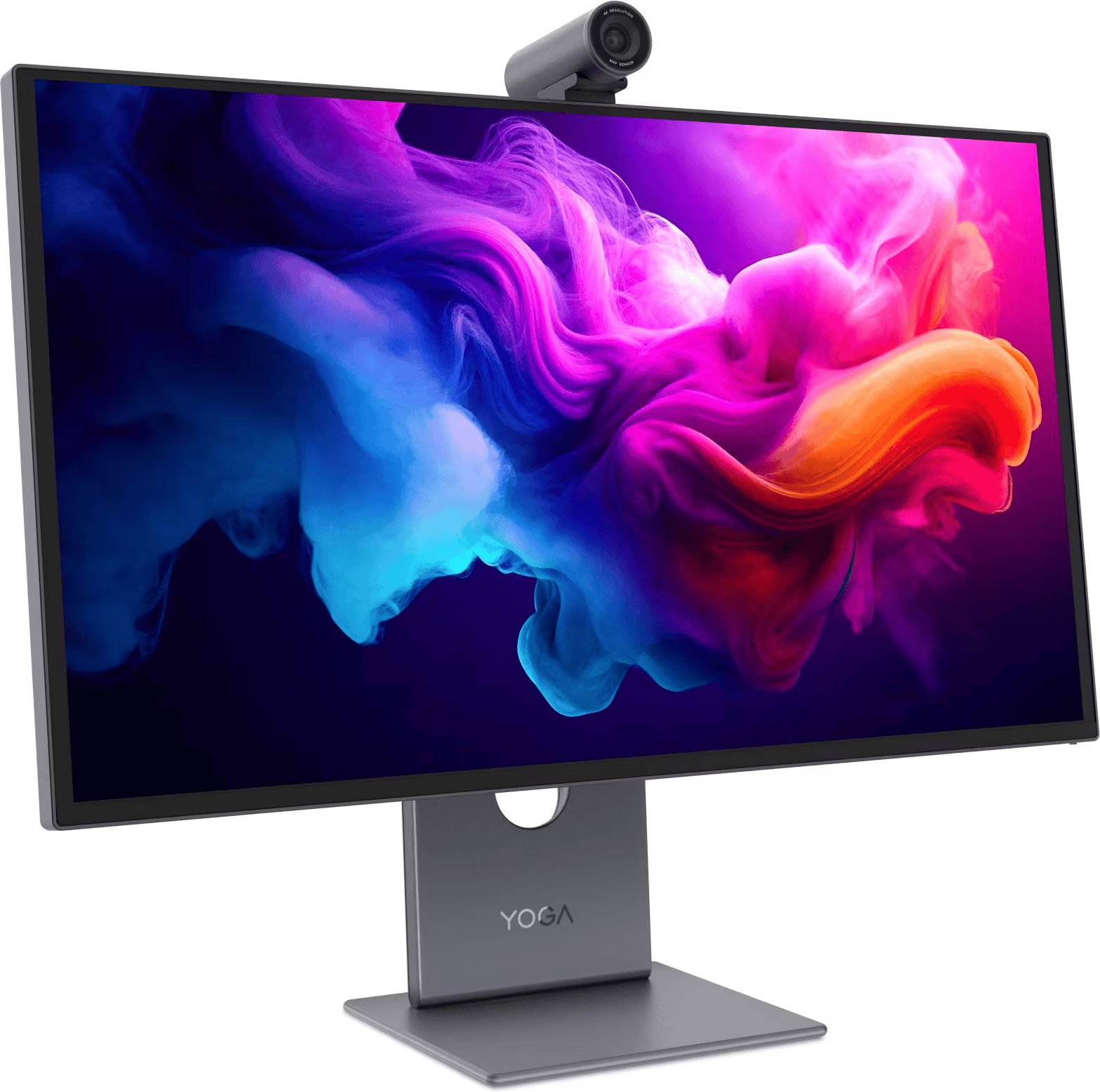
Beneath the elegantly designed chassis beats a magnificent 26.5-inch third-generation PureSight Pro QD-OLED panel. The resolution is 4K, or 3840 x 2160 pixels, which on this diagonal translates to a remarkable density of 166 pixels per inch. The contrast ratio is typical of OLEDs, we're talking about 1500000:1, with blacks that swallow the light and a peak brightness that in HDR reaches 1000 nits on small portions of the screen (while in basic everyday use we settle at 250 nits, perfect for avoiding burning your retinas while reading emails).
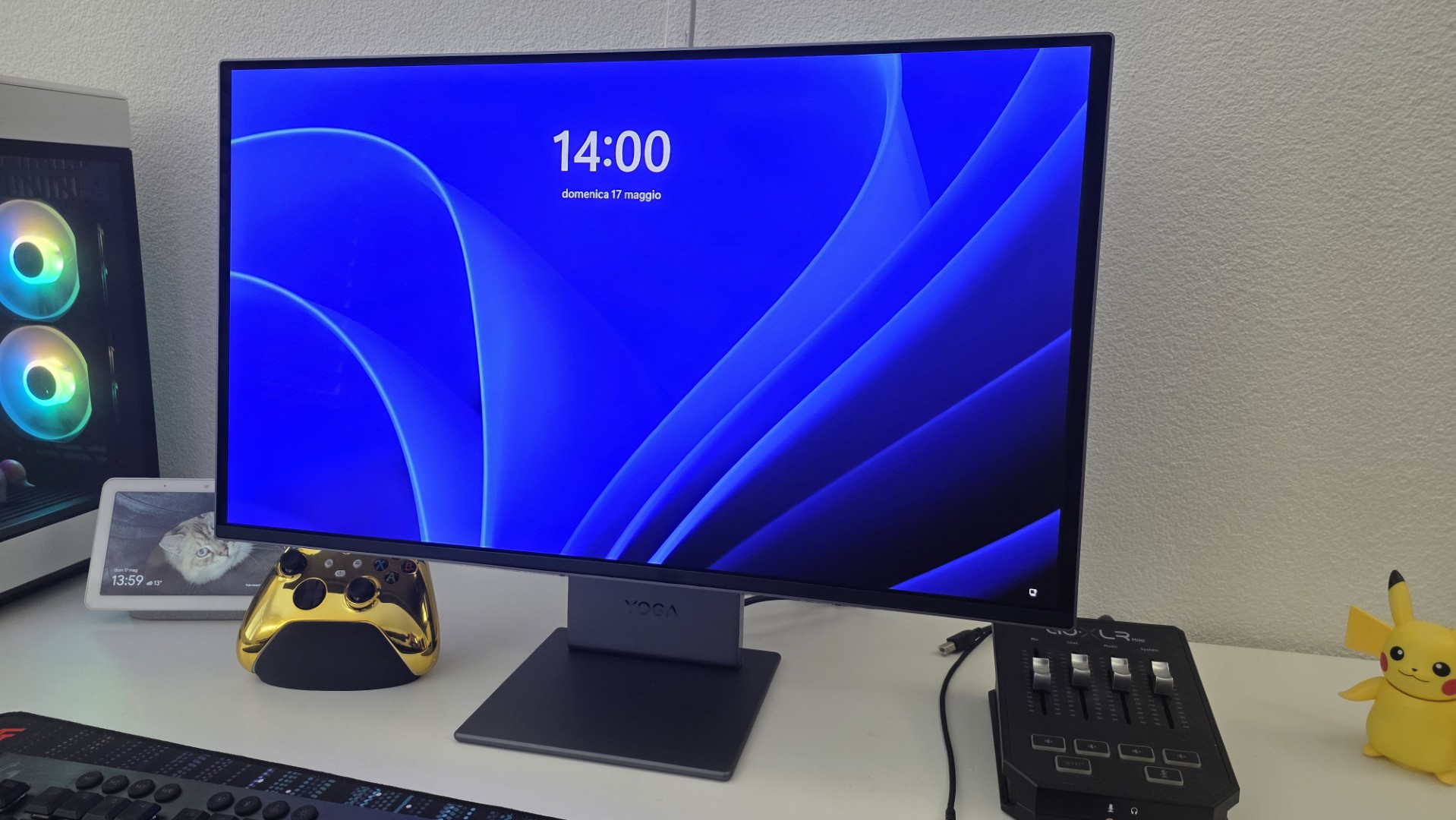
For creatives, there's a factory calibration preset that boasts a Delta E of less than one and color gamut coverage that's nearly perfect at 99 percent for sRGB and DCI-P3, alongside a rock-solid 96 percent for the Adobe RGB space. Of course, there's also Dolby Vision support and a 120Hz refresh rate with a sci-fi-like 0.03 millisecond response time, enough to make even the most demanding gamers salivate.
Design
The overall impression on the desk is remarkable, with a refined aesthetic that thankfully distances itself from the tacky gaming lights to embrace a truly successful minimalism. The only shame is that the bezels aren't perfectly symmetrical on all sides. The base is stable and allows for very smooth height and tilt adjustments, although the physical impossibility of rotating the screen vertically is a bit of a turn-off (it would have been handy for reading code or endless feeds).
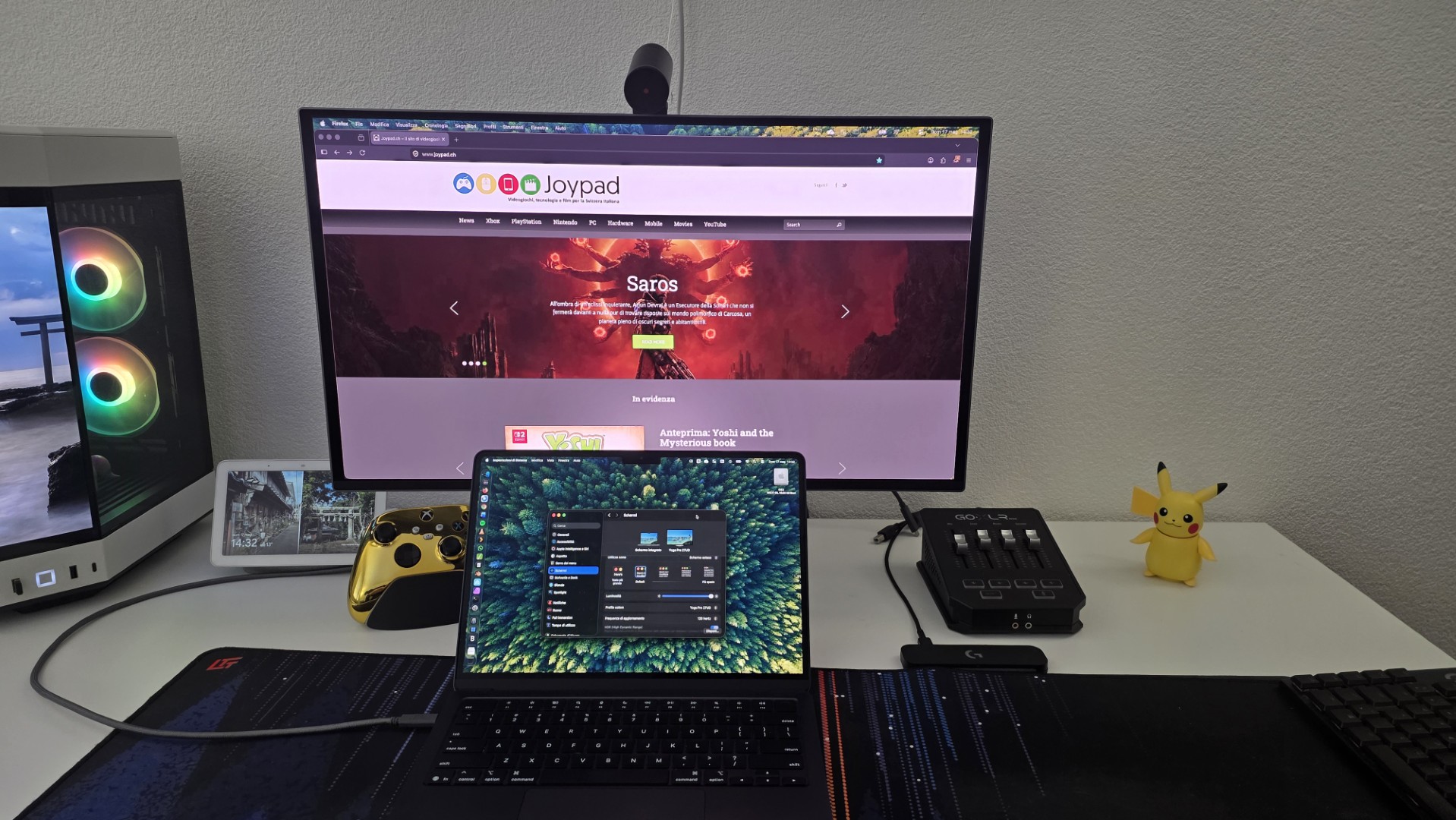
On the back, we find a decent array of ports, perhaps positioned a little awkwardly to reach blindly, which includes HDMI 2.1, DisplayPort 1.4, various USB ports and, most importantly, a magical USB4 port capable of delivering a whopping 140W of power. This means that a single cable is all you need to power a beast of a laptop and handle high-resolution video and high-speed data simultaneously. We tested it with a MacBook Air M4 and not only did it charge like a charm, but Apple's built-in controls also allow you to adjust the panel brightness directly from the system settings.
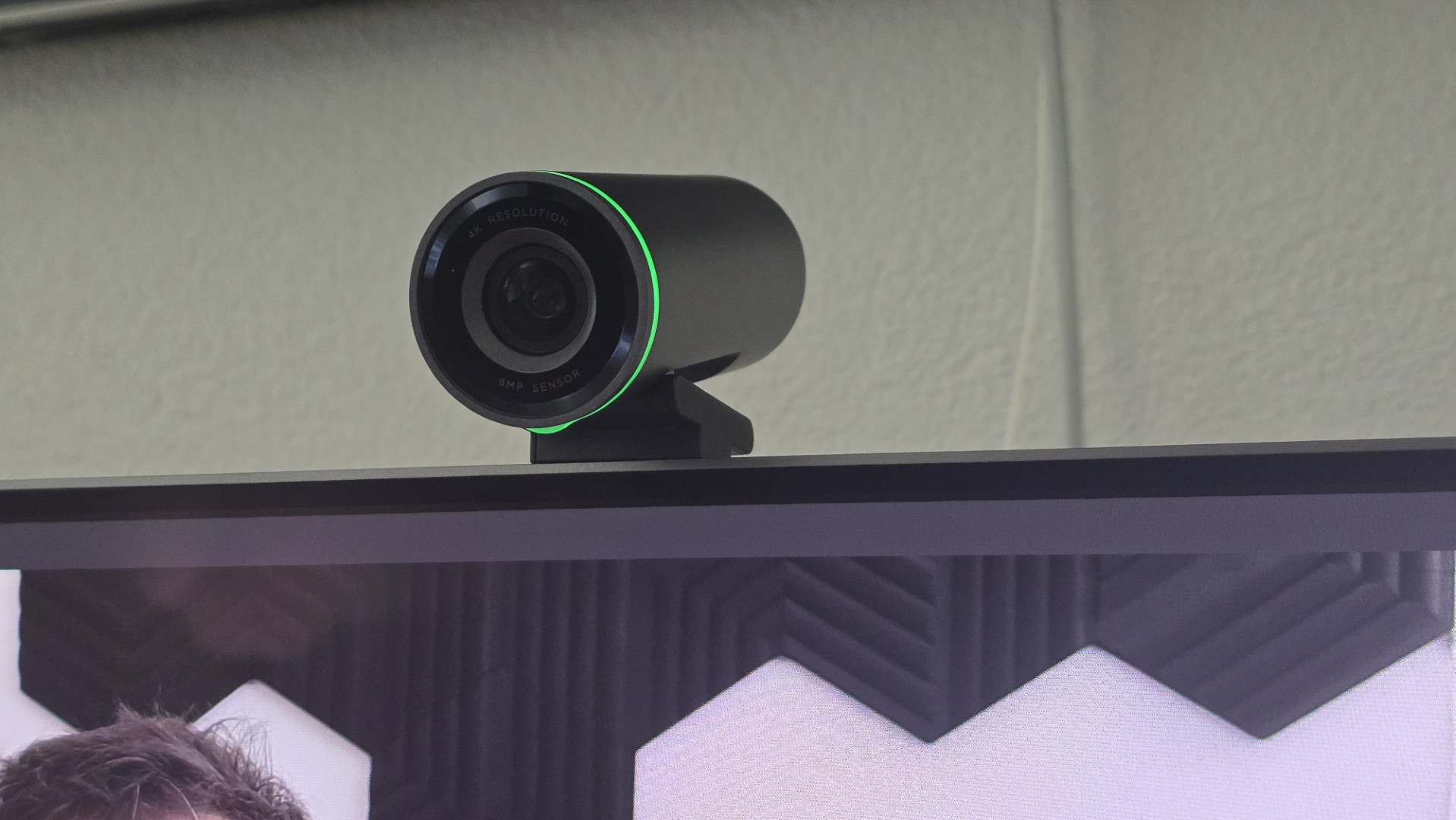
The real gem, however, is at the top of the frame, where an ambient light sensor accompanies a modular 4K webcam with a Sony sensor that attaches magnetically. Let me tell you straight away, it's literally the best built-in webcam I've ever tried.
Completing this luxurious package are six built-in 34W speakers, compatible with Dolby Atmos, which sound so impressive that they're easily usable for everyday use without too many issues and without making you miss external speakers (too much). And the Italian-language OSD is surprisingly comprehensive yet easy to navigate with the handy rear stick, offering a myriad of options to protect the panel from the dreaded image retention.
Tried!
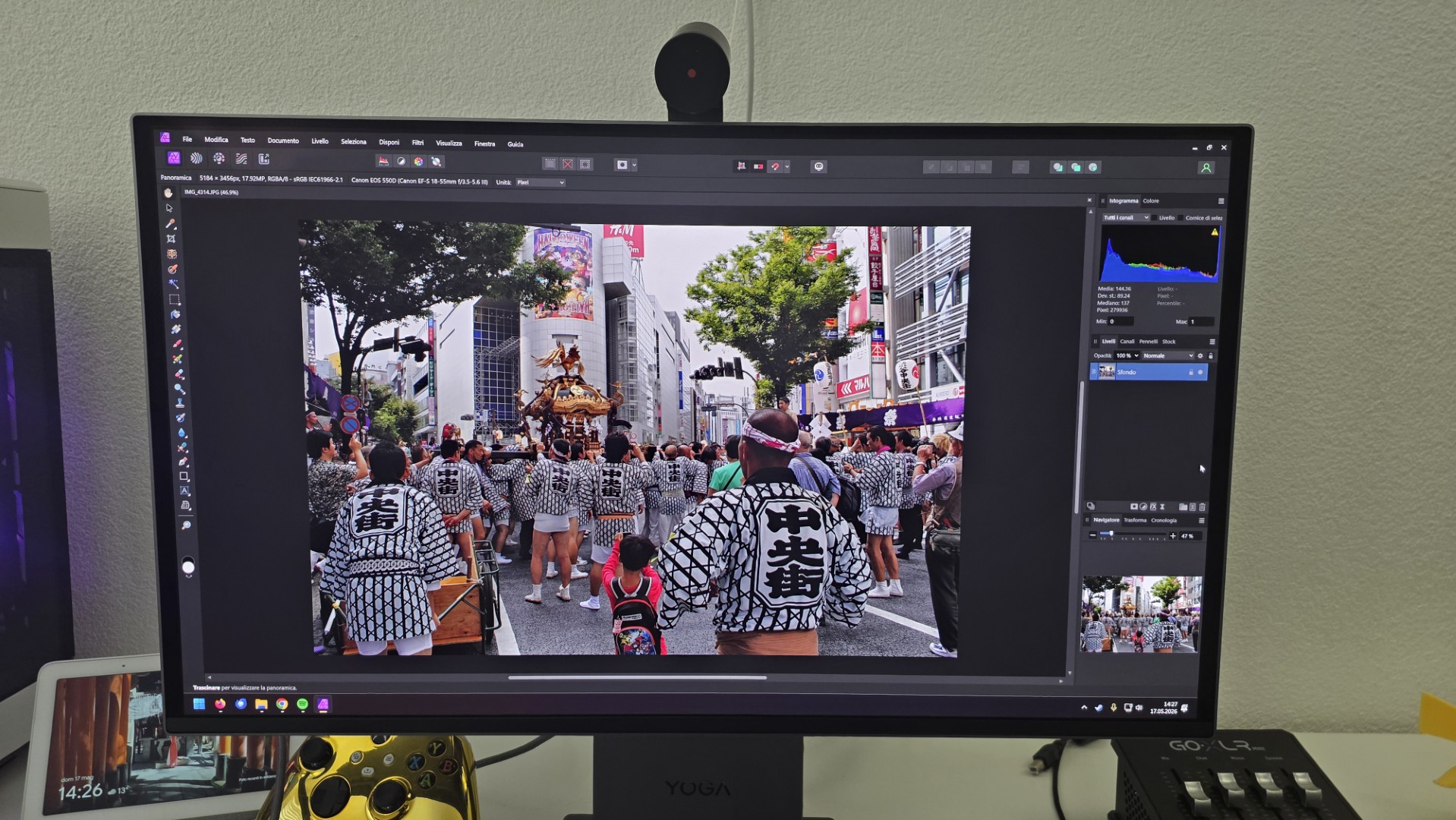
Put to the test in the field, this monitor proves to be an absolute delight for pure content creation. Editing heavy videos in Premiere or doing color correction in Affinity Photo becomes a satisfying experience, thanks to vibrant yet extremely natural colors and a contrast that gives the image incredible depth. The menu allows you to tailor every parameter to your needs in just a few seconds, and for the more tech-savvy there's also Lenovo's proprietary software for use on Windows (although I admit it has a slightly antiquated tabbed interface).
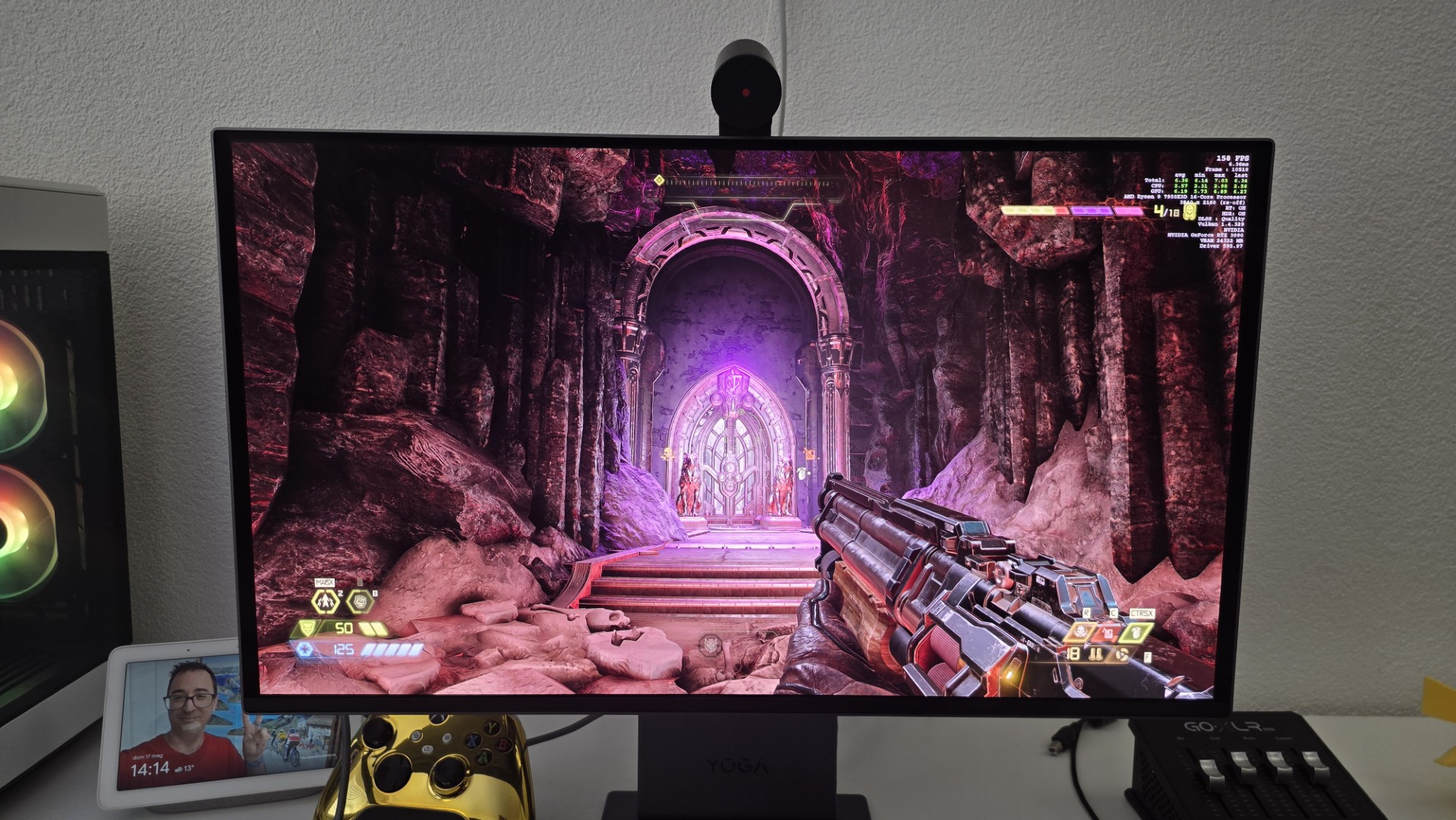
Sure, if you're used to crunching through Word spreadsheets for eight hours a day, you might notice the typical, albeit very slight, smearing of the QD-OLED subpixels around the edges of very small text, but it's a negligible compromise for those who work primarily with visual arts. And if after work we want to play a game of Doom Eternal or something else, the 120Hz supported by G-Sync and FreeSync Premium Pro ensure excellent fluidity without the slightest hint of screen tearing. My only personal gripe is related to the format. I'm now a clinical obsessive about ultrawide formats, and going back to a classic 27-inch 16:9 makes me feel a bit confined. But I'll openly confess that the idea of placing two of these screens side by side wouldn't be bad at all and is dangerously tickling my credit card.
Conclusion
Summing up these intense weeks of use, I think Lenovo has done a truly remarkable job of offering digital professionals a solid command station unmatched on the current market. Granted, shelling out around 1100 CHF isn't exactly a walk in the park. However, if you start doing the math and add in the cost of a professionally calibrated OLED panel, a top-notch 4K webcam, a decent noise-cancelling microphone, and a sound system that doesn't shame us, the final price becomes decidedly more reasonable. If you're looking for a complete ecosystem that eliminates desk clutter and offers maximum creative productivity, this display seriously deserves a spot at the top of your wish list.