
The gaming & tech site for Ticino and Italian-speaking Switzerland
The gaming & tech site for Ticino and Italian-speaking Switzerland
ASUS ROG Ryuo IV SLC 360 ARGB

✓ What we like
- 🟢 Unique and impactful design
- 🟢 Huge AMOLED screen
- 🟢 Excellent cooling performance
- 🟢 Simplified pump installation
What we don't like
- 🔴 Limited case compatibility
- 🔴 Noisy fans and pump
- Slow and fragmented software
- 🔴 Exorbitant price
Credevamo che non fosse possibile aggiungere più bling bling ad un PC da gaming moderno e che le ventole RGB fossero il culmine. Ragazzi, quanto ci sbagliavamo! Asus se ne esce con un sistema di raffreddamento con uno schermo curvo. Si, perché più è esagerato e meglio è!

ROG Ryuo IV SLC 360 ARGB è insomma un sistema di raffreddamento a liquido All-in-One che non vuole essere solo un dissipatore, ma un vero e proprio pezzo d’arredamento. Con il suo enorme schermo AMOLED (in termini relativi, ovvio), promette di diventare il fulcro visivo di ogni build custom. Ma dietro a un’estetica così audace e a un prezzo esorbitante, si nasconde un prodotto all’altezza delle aspettative o i compromessi richiesti sono troppo estremi?
Uno schermo in più non guasta mai
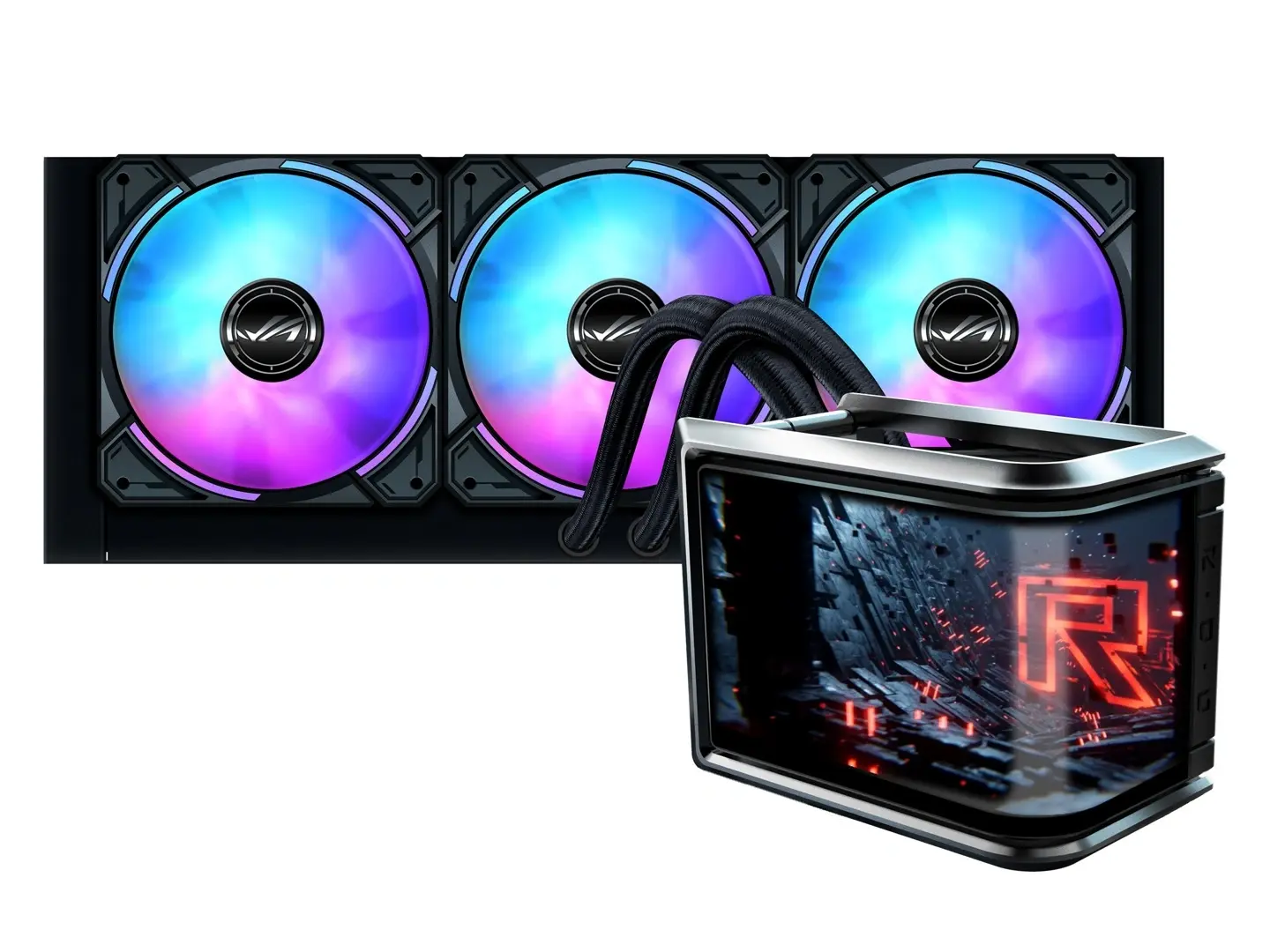
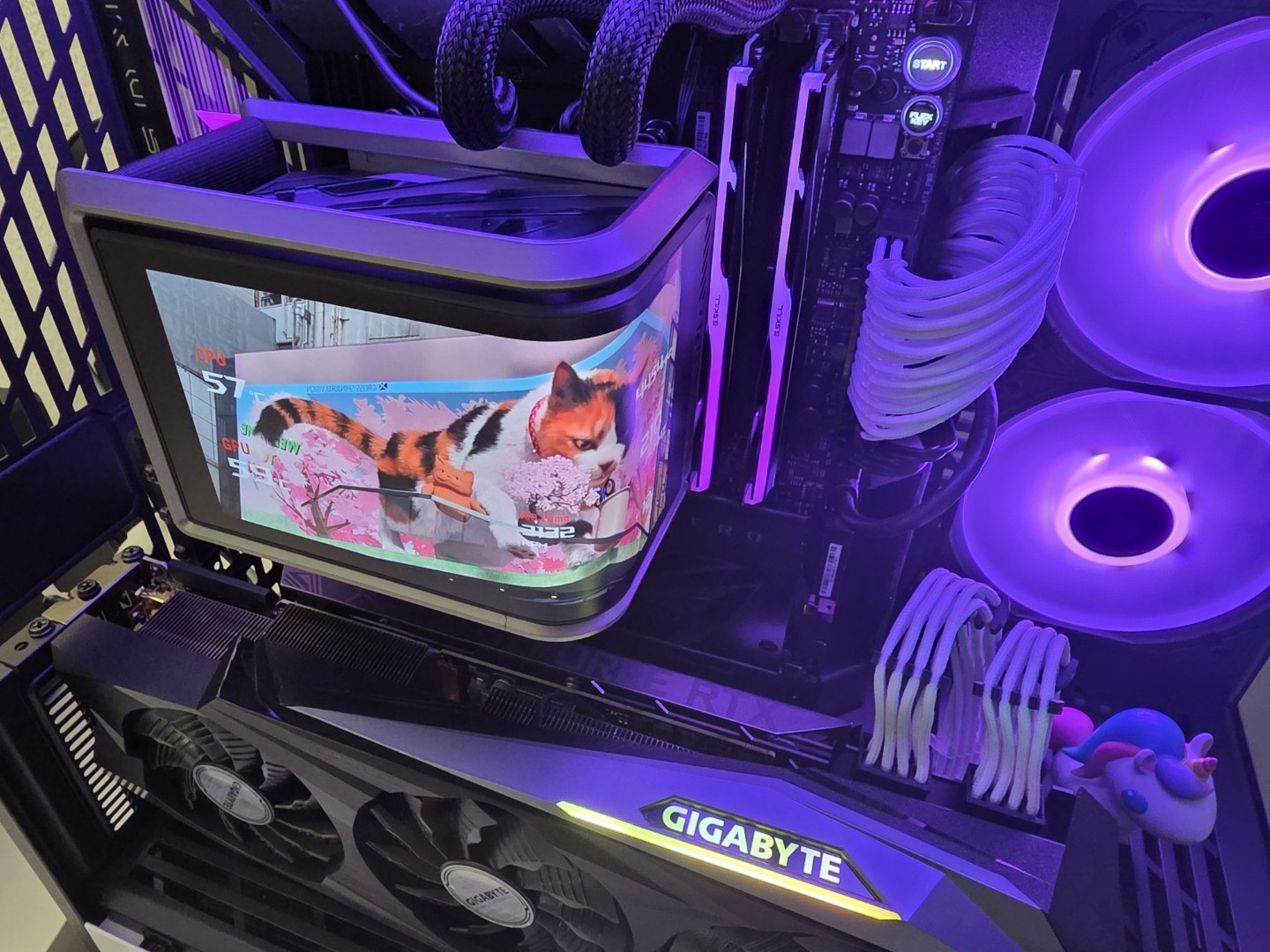
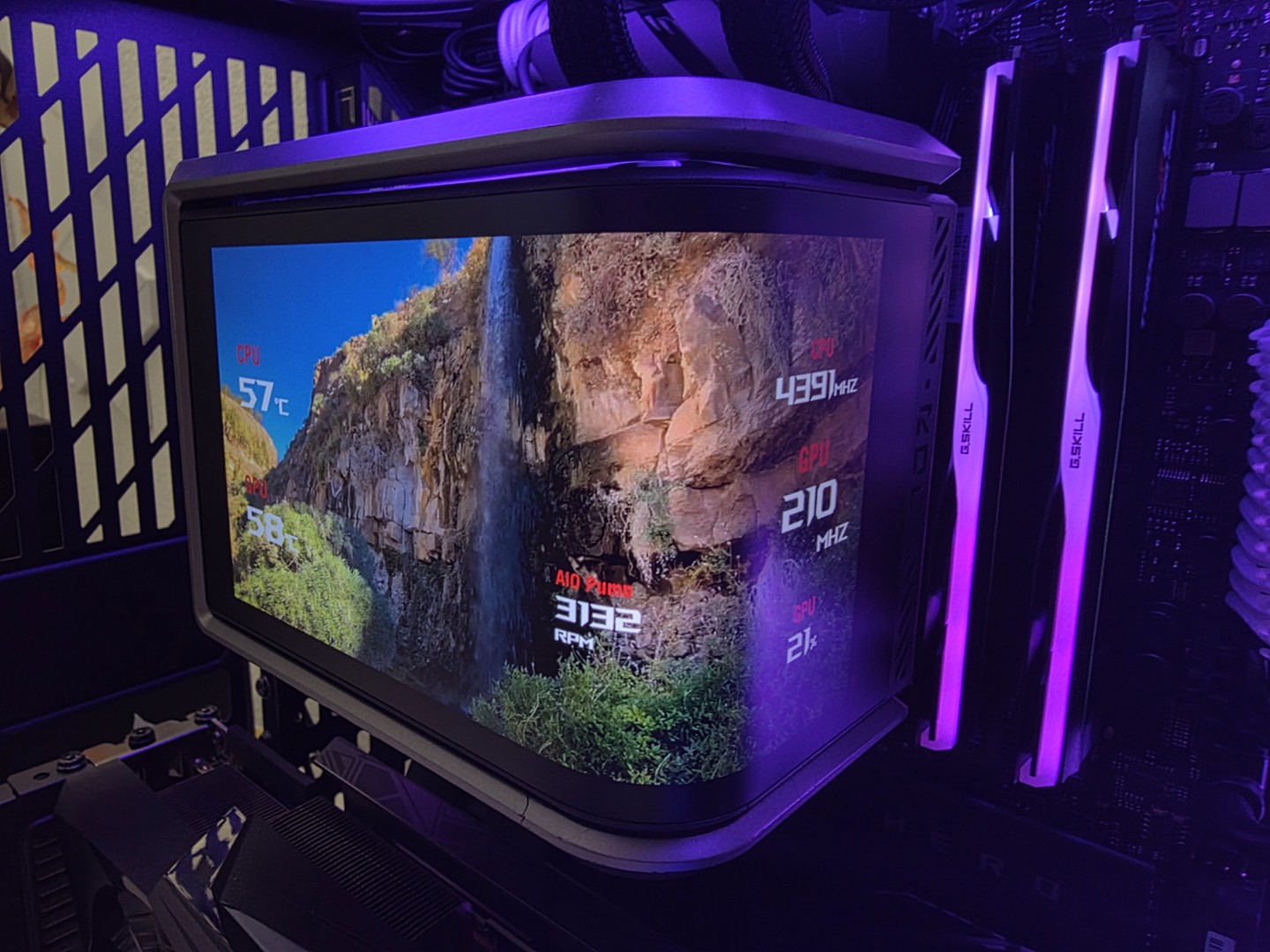
Il cuore pulsante del Ryuo IV SLC è, senza dubbio, il suo display: uno schermo AMOLED curvo da 6.67 pollici con risoluzione 2K e refresh rate di 60 Hz. Tutto il resto della componentistica sembra costruito attorno a questa caratteristica. Il sistema è un AIO da 360mm, ma con un radiatore in alluminio dalle dimensioni non standard di 394 x 140 x 32 mm. La pompa, la cui velocità opera tra i 1800 e i 3200 RPM, è sormontata dal display, che si collega alla scheda madre tramite un header USB 2.0 interno. Le tre ventole da 120mm ROG RYUO IV MF-12C ARGB sono progettate per alte prestazioni, con una velocità che arriva a 2650 RPM e un’elevata pressione statica di 5.45 mmH2O. I tubi, in FEP rivestito, sono molto corti, appena 200 mm. E sono posizionati al centro del radiatore e non sul lato esterno, come siamo abituati a vedere di solito.
Bello da vedere ma attenzione al montaggio
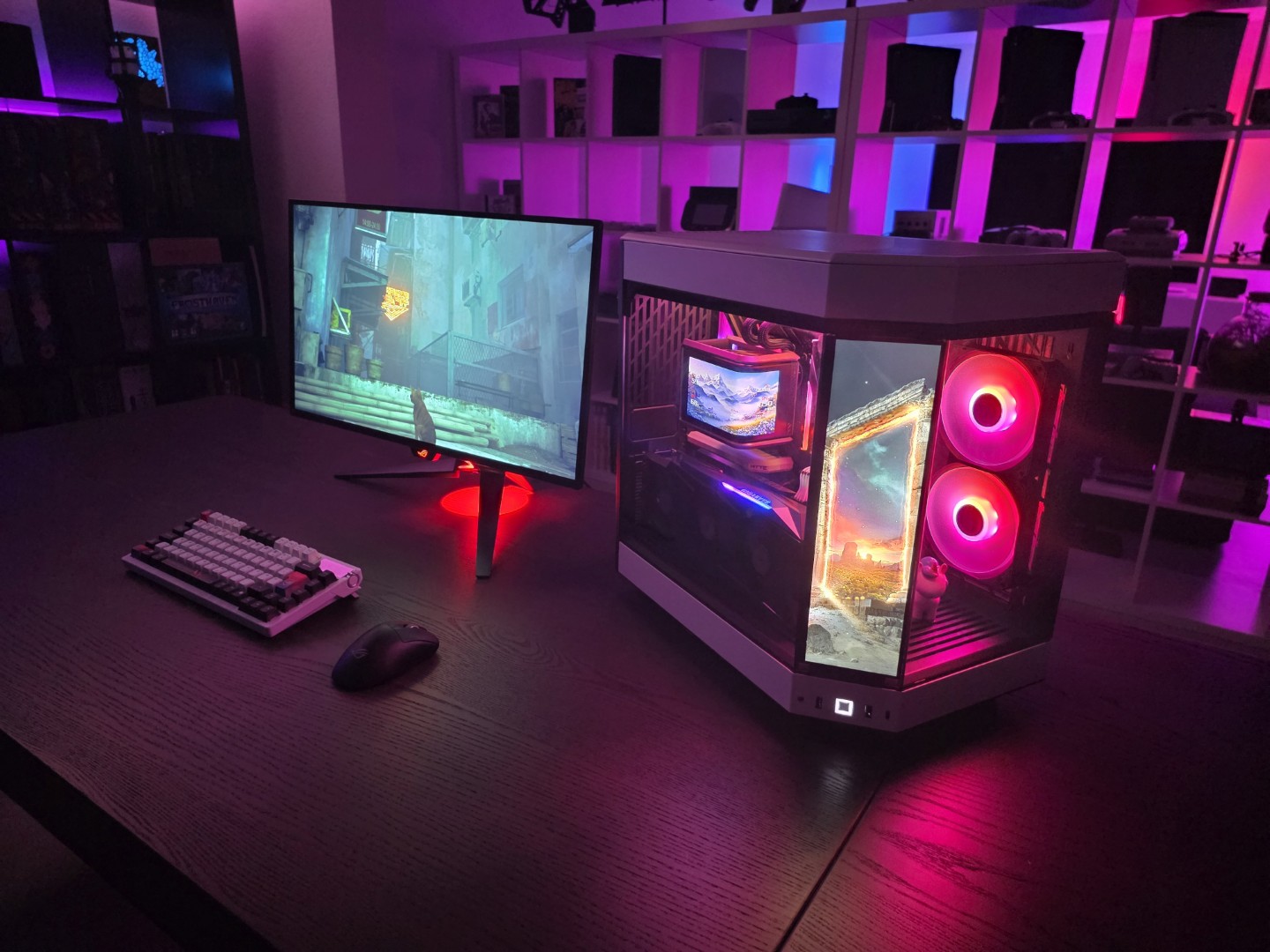
Esteticamente, l’offerta di Asus è molto interessante. Per chi è un malato di computer custom (come noi), questo AIO aggiunge un elemento fresco e nuovo, qualcosa di davvero inusuale che cattura lo sguardo. L’idea di far uscire i tubi dal centro del radiatore è ottima per ridurne la lunghezza e l’impatto visivo, creando un look pulito e focalizzato sullo schermo. Quest’ultimo è montato su binari che ne permettono lo scorrimento, e il fatto che sia rimovibile facilita enormemente l’accesso alle viti durante il montaggio sulla CPU. Tuttavia, è proprio qui che iniziano i (nostri) dolori. L’installazione può essere un’esperienza agli antipodi: semplicissima o un vero incubo, a dipendenza del case in cui vogliamo installarlo. La larghezza di 140mm e, soprattutto, la posizione centrale dei tubi, richiedono un’attenzione maniacale allo spazio disponibile.
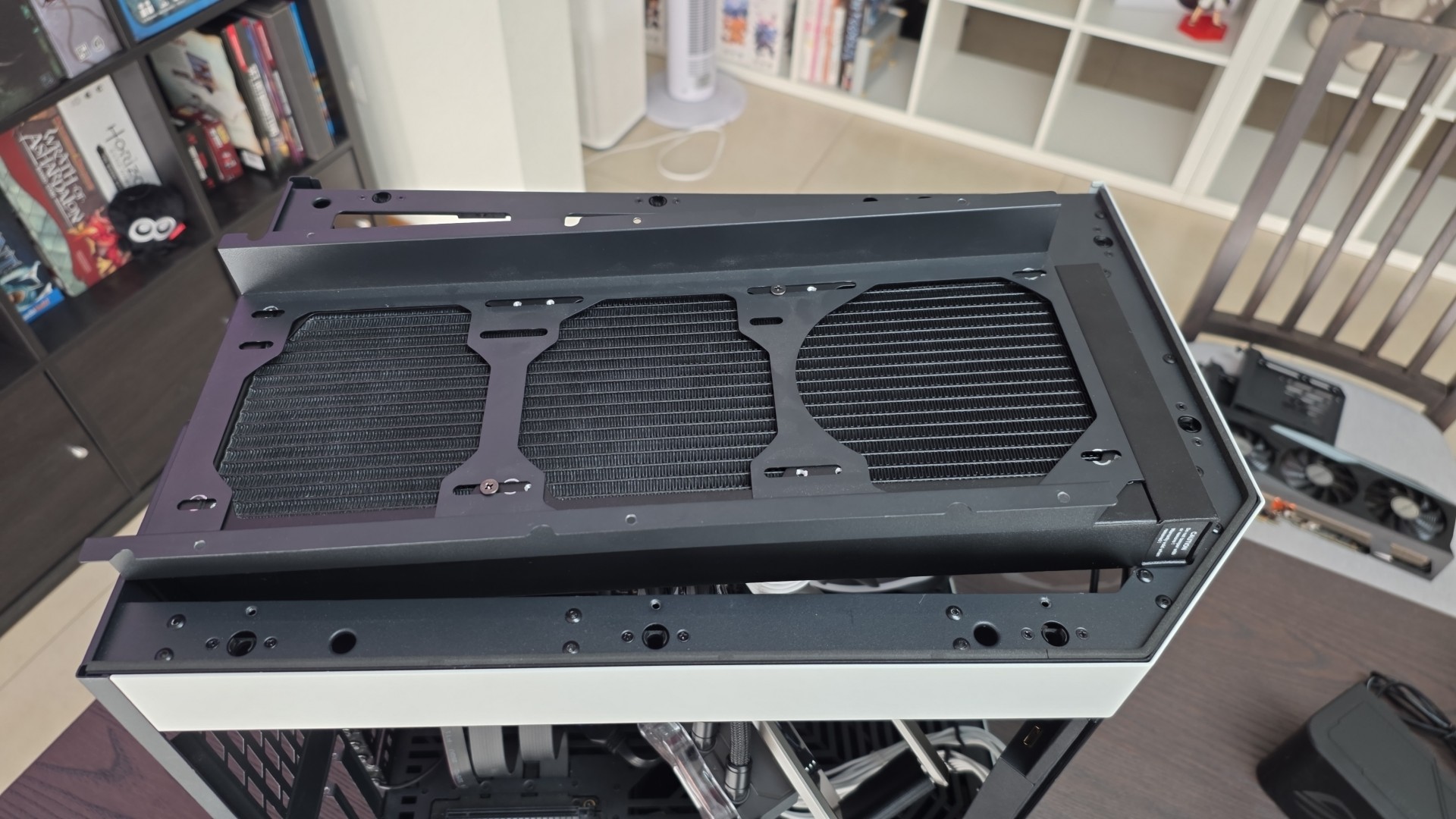
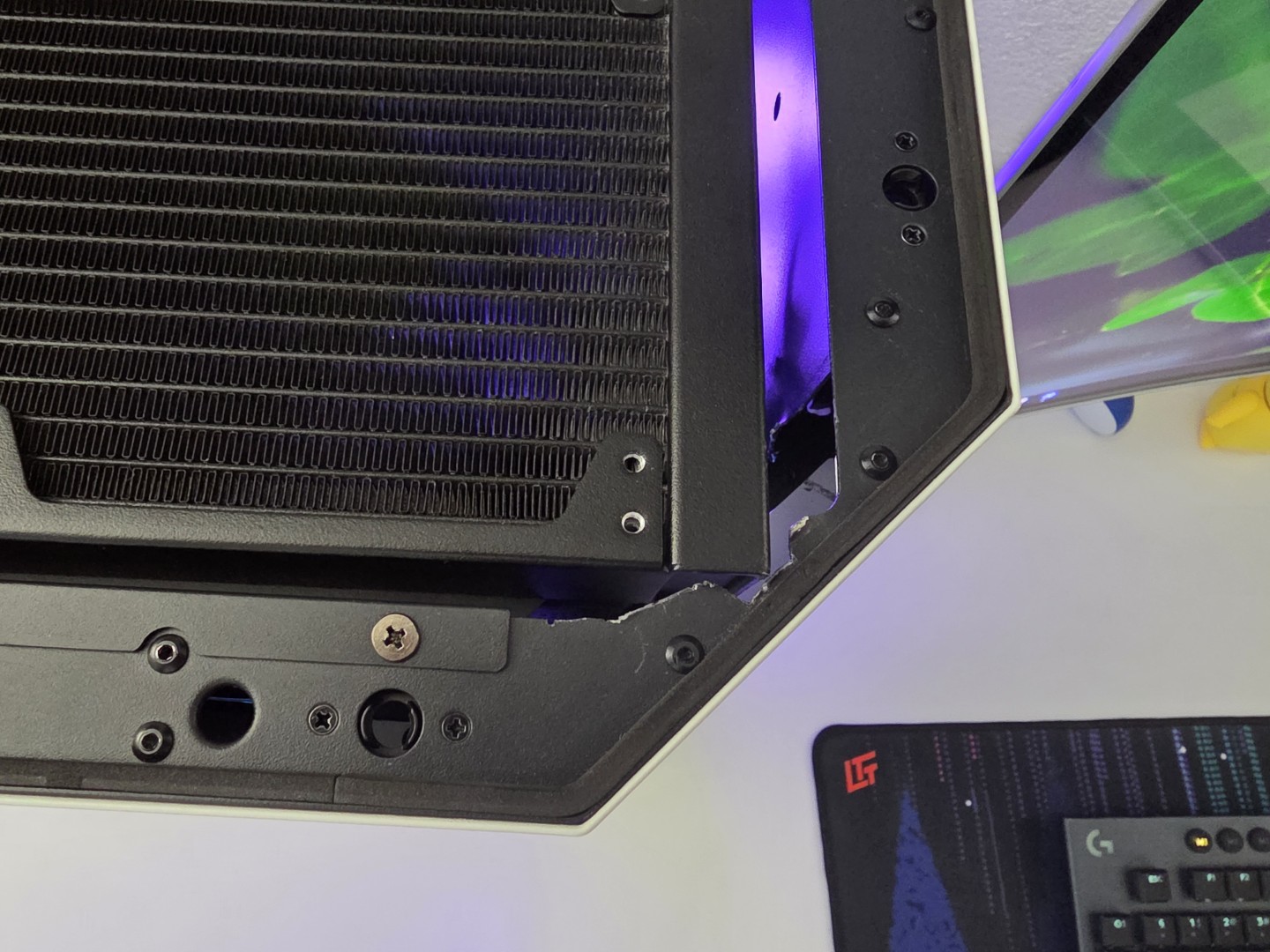
Nel mio caso, con un Hyte Y60, l’installazione era teoricamente impossibile. Per riuscire a posizionare il radiatore, è stato necessario tagliare fisicamente diverse parti metalliche del case. Non è solo una questione di millimetri, ma di un design che può interferire direttamente con i dissipatori della scheda madre o con i banchi di RAM. Il consiglio, quindi, è uno solo: verificate e riverificate le misure del vostro case con estrema precisione prima anche solo di considerare l’acquisto di questa versione. Se i tubi al centro non sono fattibili, meglio indirizzarsi allora su un ROG Ryujin per esempio.
Schermo & software
Lo schermo è senza dubbio magnifico ma non funziona come pensate voi. Non aspettatevi un secondo monitor per il vostro PC: il display si collega tramite un header USB 2.0 interno, non via HDMI o DisplayPort. Questo significa che i contenuti non sono “live”, ma vanno trasferiti sul dispositivo. E qui emerge la seconda difficoltà: il software ASUS InfoHub. Personalmente, non ho adorato questa nuova applicazione.

Oltre a frammentare l’ecosistema ASUS, che dovrebbe convergere su Armoury Crate (usato qui solo per i LED delle ventole), il trasferimento di file video dal PC al dissipatore si è rivelato molto lento, proprio a causa della limitata banda passante dell’USB 2.0. L’idea di poter usare lo schermo curvo come due display indipendenti per mostrare GIF e dati di sistema è affascinante, ma la lentezza dei trasferimenti ne smorza l’entusiasmo. E sembra essere impossibile caricare video da più di 100MB l’uno nel device.
Ma poi raffredda?
Sulle prestazioni pure di raffreddamento, c’è poco da dire: sono eccellenti. Il Ryuo IV SLC è in grado di tenere a bada anche le CPU più esigenti, posizionandosi ai vertici della categoria. L’abbiamo provato sul nostro Ryzen 9 7950X3D, ottenendo risultati più che degni. Con un stress test con Cinebench R23 la CPU si è stabilizzata sugli 80°C dopo una decina di minuti, con una massima di 84°C, niente male per 145W di CPU.
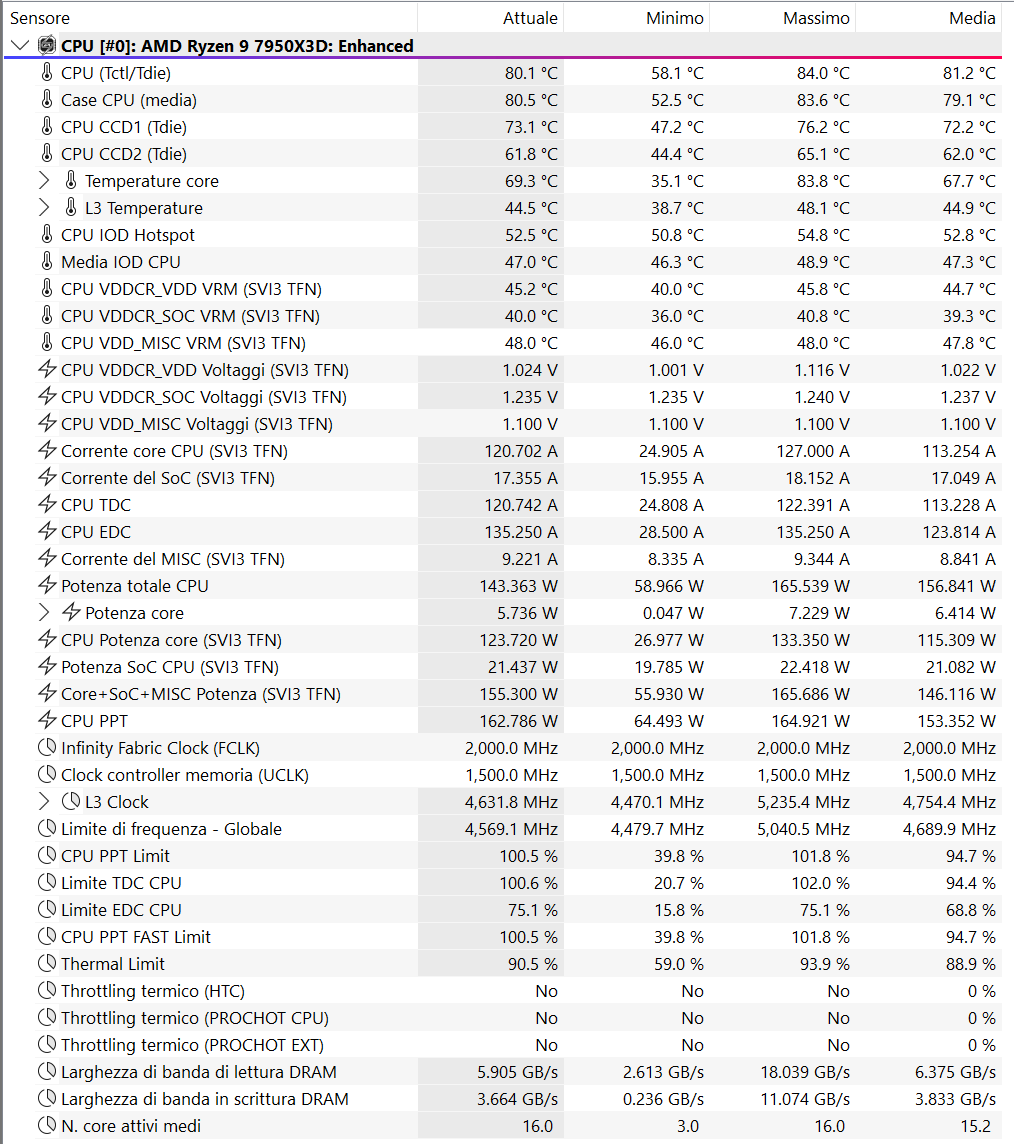
Il problema, però, è il prezzo acustico da pagare per queste performance. A riposo, il livello sonoro è accettabile, ma la pompa utilizzata da Asus è indubbiamente udibile, producendo un ronzio di fondo costante che potrebbe infastidire i puristi del silenzio. Sotto carico, invece, le ventole diventano le protagoniste in negativo: a regimi elevati sono davvero rumorose e fastidiose. È il caso negli stress test ma sicuramente meno il caso in gaming, dove è piuttosto la GPU ad essere maggiormente sollecitata. Per fortuna, le prestazioni termiche rimangono ottime anche a velocità ridotte, rendendo quasi obbligatoria la creazione di una curva di ventilazione manuale per trovare un equilibrio accettabile.
Ci piace?
Il ROG Ryuo IV SLC 360 è un prodotto di estremi. Dal punto di vista estetico, è un trionfo: il design è unico e di grande impatto visivo, con uno schermo che non ha eguali sul mercato. Le prestazioni di raffreddamento sono di altissimo livello e l’idea di rendere lo schermo modulare per semplificare l’installazione della pompa è intelligente. Dall’altro lato, i compromessi sono altrettanto estremi. La compatibilità con i case è molto limitata e rischia di trasformare un montaggio di routine in un progetto di modding forzato. Le ventole e la pompa sono rumorose, richiedendo un intervento manuale per essere domate. Il software InfoHub è lento e frammentato, e il funzionamento dello schermo non è “live” come si potrebbe pensare. Infine, il prezzo di 459 CHF è semplicemente esorbitante.
Bottom line
L’ASUS ROG Ryuo IV SLC 360 ARGB è un componente che non può essere giudicato con i soliti metri di paragone. Non è semplicemente un dissipatore, ma uno showpiece, un pezzo da esposizione che ha anche la funzione di raffreddare la CPU, e lo fa molto bene. È un prodotto pensato per una nicchia ben precisa: l’appassionato di PC custom che cerca un elemento estetico assolutamente unico ed è disposto a pagare un prezzo altissimo, sia in termini economici che di compromessi pratici, come, nel nostro caso, modificare fisicamente il proprio case o dedicare tempo a ottimizzare le curve di ventilazione per renderlo silenzioso.
Per chiunque altro, i difetti superano i pregi. Le limitazioni di installazione, la rumorosità e un software non ottimale lo rendono una scelta difficile da consigliare. A 459 CHF, il mercato offre soluzioni di raffreddamento altrettanto performanti (e molto più silenziose) a una frazione del costo. Il Ryuo IV SLC è un bellissimo esercizio di stile, un componente affascinante che però rimane, per ora, un lusso per pochi eletti disposti a tutto pur di avere una build fuori dal comune.
